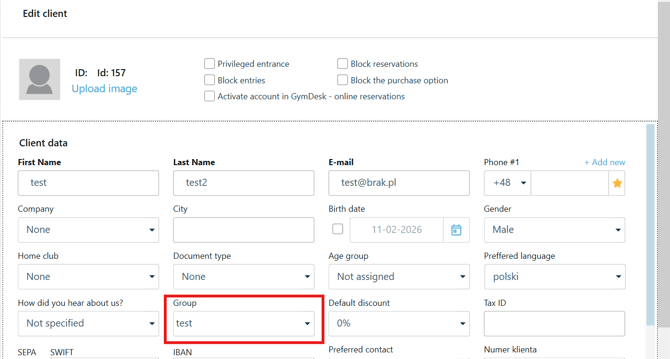
Step 1. In the POS reception application, go to the Clients tab. In the top menu, click "Individual Clients" → "Groups", then click "Add".
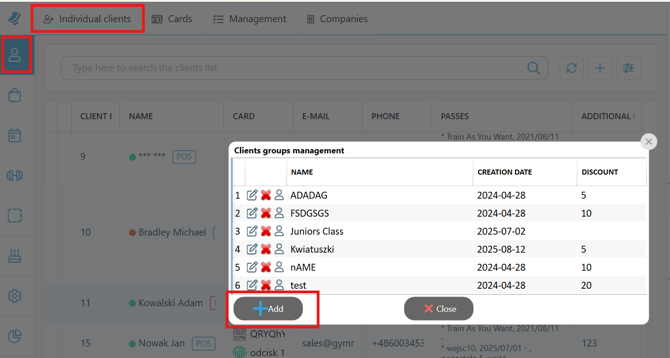
Step 2. In the pop-up window, enter the group name and click "Save".
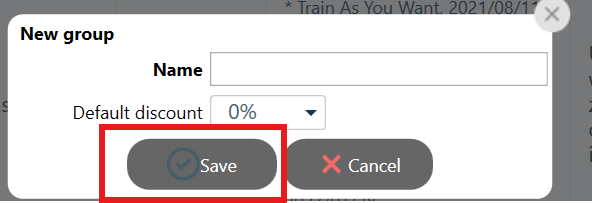
Step 3. Open the "Administration" tab, then go to "Offer" → "Passes" and select the desired pass. Click the Edit icon, and in the pass edit window, go to the "Group" tab. Check the option "Pass is available only to customers from selected groups" and select the appropriate group from the list. Then click "Save".
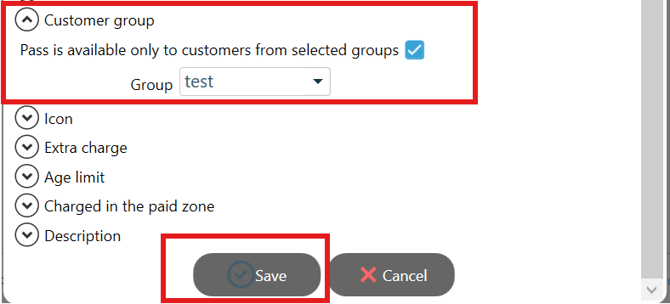
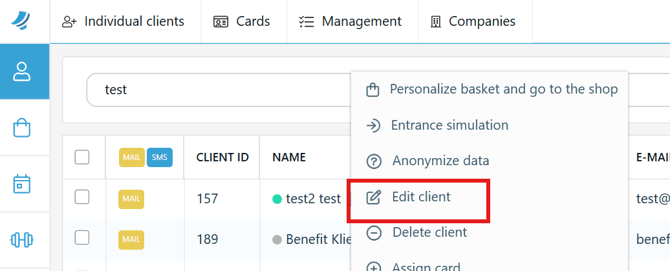
Step 4. To assign a client to a group from the POS, go to the Clients tab, find the client, right-click, and select "Edit client".
Step 5. In the client edit window, select the appropriate group in the "Group" field, then click "Save".