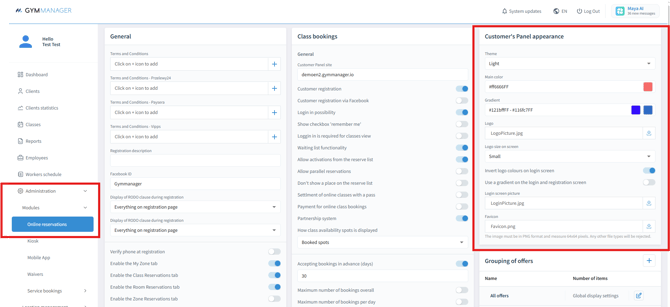
Follow this path: "Administration" → "Modules"→ "Online Reservations".
In the Customer Appearance tab, you will be able to:
- change the theme;
- adjust panel colors;
- set the screen image.
Simply fill in the dedicated fields for each option and your changes will be automatically saved once applied.
If you already have your brand colors defined in HEX format (for example, #0000FF), you can paste those values directly into the color fields.